
AOMEI Backupper Pro
Windows Backup, Restore, Sync and Clone Software
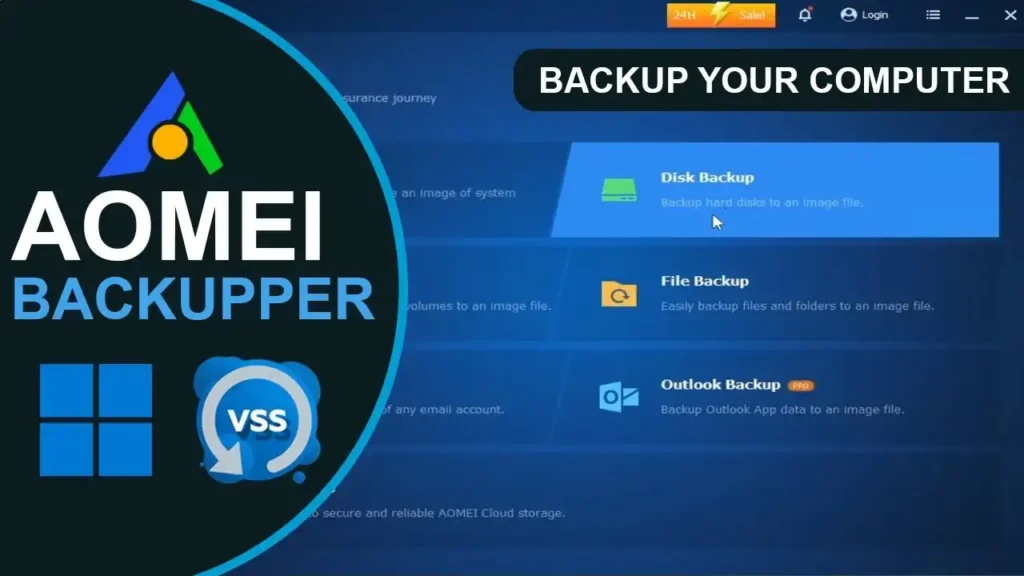
AOMEI Backupper Pro is comprehensive Windows backup, restore, synchronisation and disk cloning software designed to protect personal files, operating systems, partitions and entire drives. It combines system backup, file backup, disk backup, synchronisation and disk cloning in one application.
AOMEI Backupper Professional supports Windows 11, Windows 10, Windows 8.1, Windows 8 and Windows 7 for personal use. The software can create scheduled backups, clone system and data drives, synchronise files and create bootable recovery media for situations where Windows cannot start normally.
Choose AOMEI Backupper Pro when you need more than basic Windows backup tools and want a single application for backup, recovery, migration and data protection.

Complete Windows Backup and Recovery
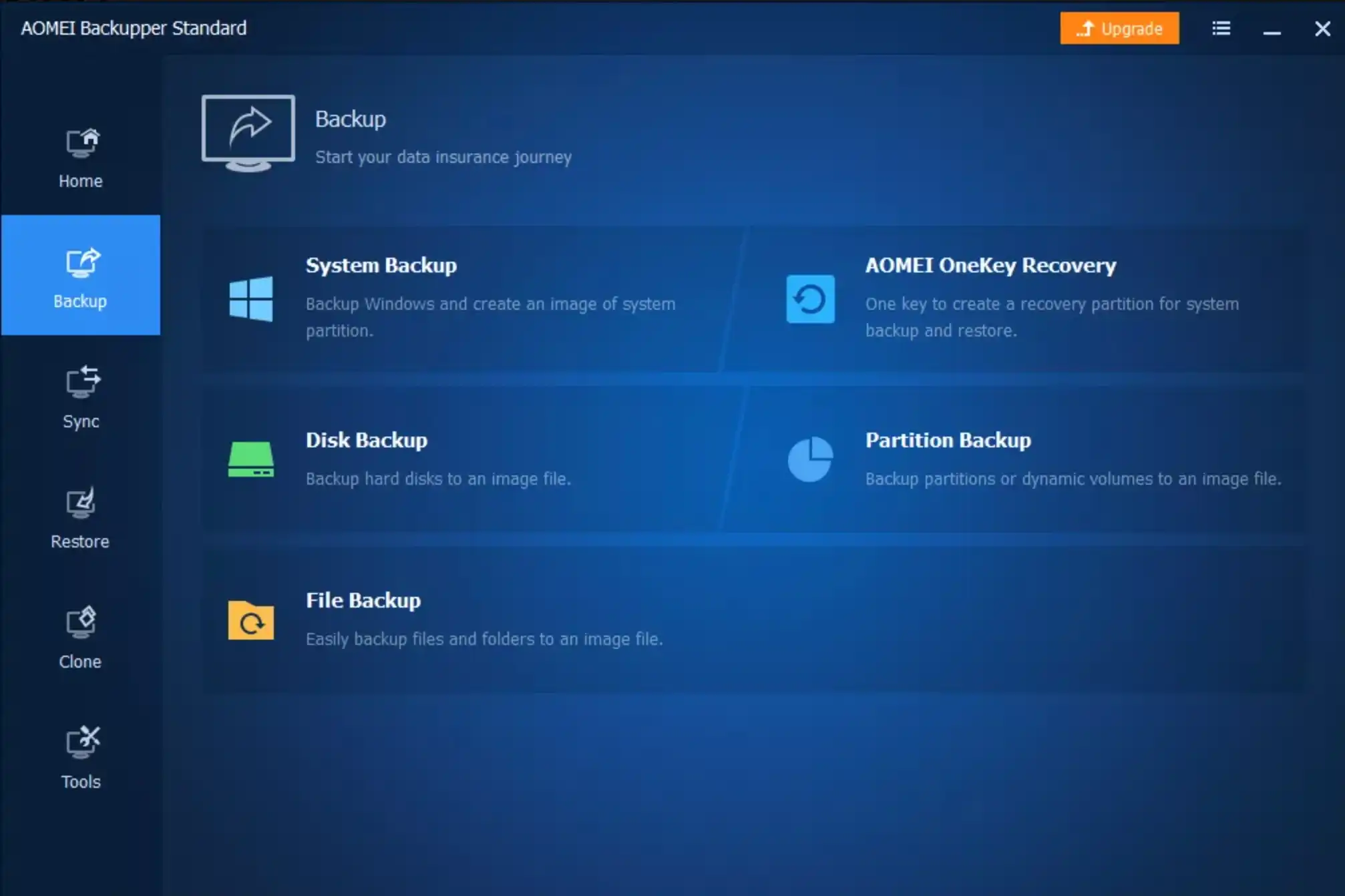
AOMEI Backupper Pro provides multiple backup methods for protecting important Windows data. You can back up individual files and folders, entire partitions, complete disks or the Windows system itself.
Scheduled backup options allow recurring protection without requiring you to manually start every backup. Incremental and differential backup methods can reduce the amount of data transferred after an initial backup, while backup schemes can help manage older backup images and storage usage.
Clone Windows to a New SSD or Hard Drive
AOMEI Backupper Pro includes disk, system and partition cloning tools for upgrading storage and migrating Windows installations.
A system clone can copy the Windows operating system and the files required to boot the computer to another drive. Disk cloning can be used when migrating an entire drive, while partition cloning allows selected partitions to be copied.
The software can also clone a larger drive to a smaller SSD when the used space on the source drive fits within the destination drive.


Protect Files and Keep Data Synchronized
AOMEI Backupper Pro includes file synchronisation alongside conventional backup tools. Basic Sync can maintain copies of files between locations, while Real-Time Sync monitors changes and synchronises modified or newly added files when they are detected.
Supported backup destinations include local and external drives, USB devices, network locations and compatible cloud storage services.
AOMEI Backupper Pro Features
System Backup
Back up Windows and the partitions or files required to boot the operating system, together with installed programmes and files stored on the system drive. System Backup can protect Windows, installed applications, system settings and other data stored on the system drive.
File and Folder Backup
Back up selected files and folders instead of creating an image of an entire drive. This is useful for protecting documents, photographs, projects and other important personal data.
Disk and Partition Backup
Create image backups of complete physical disks or selected partitions. Disk Backup can protect multiple drives, while Partition Backup focuses protection on specific volumes.
Scheduled and Automatic Backup
Schedule backups daily, weekly or monthly, or use event triggers and USB plug-in detection to automate backup tasks. Incremental and differential backup options can help reduce the amount of data processed during subsequent backups.
Disk and System Clone
Clone an entire disk or migrate a Windows installation to another drive. System Clone is designed to transfer the operating system and boot-related data, while Disk Clone can copy an entire drive.
Real-Time and Two-Way Sync
Synchronise files between locations using Basic Sync, Real-Time Sync, Mirror Sync or Two-Way Sync. These options provide different ways to maintain matching copies of files and folders.
Universal Restore
Restore a Windows system image to a computer with different hardware, such as a different CPU or motherboard, where supported. This can be useful when migrating an existing Windows installation to a computer with different hardware components.
Bootable Recovery Media
Create bootable WinPE recovery media so you can access AOMEI Backupper tools when Windows cannot start normally. This provides an additional recovery option following serious system failures.
Backup Management
Manage backup images with tools to check, explore, encrypt, compress, split and import or export backup images. Backup schemes can also help automatically remove older backup versions.
Compare AOMEI Backupper Pro Plans
Choose the plan based on the number of PCs you need to protect and whether you prefer an annual subscription or a one-time lifetime licence.
AOMEI Backupper Pro Yearly
Professional Yearly — 1 PC
A full-featured backup and cloning solution for one Windows PC, billed annually.
From $39.95/year
£29.50 | €34.50
- System, file, disk and partition backup
- Disk, system and partition cloning
- Scheduled and automatic backups
- Incremental and differential backups
- File and folder synchronisation
- Bootable recovery media
AOMEI Backupper Pro Lifetime
Professional Lifetime — 1 PC
A one-time purchase for users who want lifetime access to AOMEI Backupper Professional on one Windows PC.
From $69.95 one-time
£51.70 | €60.40
- System, file, disk and partition backup
- Disk, system and partition cloning
- Scheduled and automatic backups
- Incremental and differential backups
- File and folder synchronisation
- Bootable recovery media
AOMEI Backupper Pro Family Lifetime
Professional Family Lifetime — 5 PCs
A one-time licence for protecting up to five Windows PCs, suitable for personal use across a household.
From $89.95 one-time
£66.50 | €77.70
- System, file, disk and partition backup
- Disk, system and partition cloning
- Scheduled and automatic backups
- Incremental and differential backups
- File and folder synchronisation
- Bootable recovery media
Prices shown are indicative and may vary by country, currency, taxes, promotions and the purchase terms offered by the software provider. Currency conversions are approximate and are provided for comparison only. AOMEI may apply local taxes at checkout. Always check the provider’s purchase page for the final price, licence terms, renewal conditions and applicable taxes before buying.
Questions? We have answers.
AOMEI Backupper Pro is Windows backup, restore, synchronisation and disk cloning software for personal use. It can back up files, folders, partitions, complete disks and Windows system installations.
Yes. AOMEI Backupper Professional supports Windows 11, Windows 10, Windows 8.1, Windows 8 and Windows 7.
Yes. AOMEI Backupper Pro includes Disk Clone and System Clone tools for migrating data or a Windows installation to another drive, including an SSD.
Yes. AOMEI Backupper Pro can clone a larger drive to a smaller SSD when the used space on the source drive fits within the destination drive. Intelligent Clone can copy only the required used sectors where supported.
Yes. AOMEI Backupper Pro supports scheduled backups, including daily, weekly and monthly schedules, as well as incremental and differential backups. Event-triggered and USB plug-in backup options are also available.
Yes. File Backup allows you to select individual files and folders instead of backing up an entire disk or Windows installation.
Yes. AOMEI Backupper Pro includes Real-Time Sync, which monitors selected folders and synchronises changes when they are detected.
Yes. AOMEI Backupper Pro includes Universal Restore, which can restore a Windows system image to different hardware, such as a computer with a different CPU or motherboard, where supported.
Yes. AOMEI Backupper Pro can create bootable WinPE recovery media, including a bootable USB drive, so you can access its backup and recovery tools if Windows cannot start normally.
The Yearly plan is an automatically renewing annual subscription for one PC, while the Lifetime plan requires a one-time payment and provides lifetime use and upgrades for the licensed PC.
AOMEI Backupper Pro Family Lifetime supports up to five PCs under one licence and is intended for personal use by family members and friends.
AOMEI offers optional 1 TB cloud storage with applicable Professional plans for an additional fee. Cloud storage is separate from the core backup, restore, synchronisation and cloning features.
AOMEI Backupper Pro provides dedicated tools for system, file, disk and partition backup, disk and system cloning, scheduled backups, file synchronisation and bootable recovery media.
AOMEI Backupper Pro is available through authorised sales channels, including the AOMEI online store. Compare the available licence options and purchase terms before choosing a Yearly, Lifetime or Family Lifetime licence.